

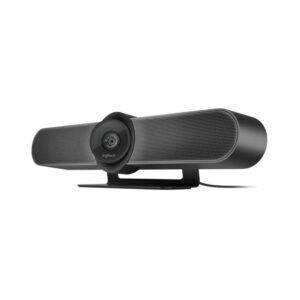
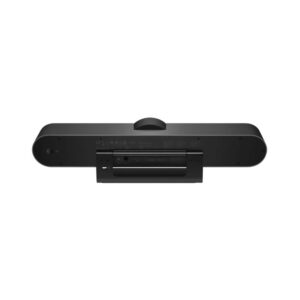
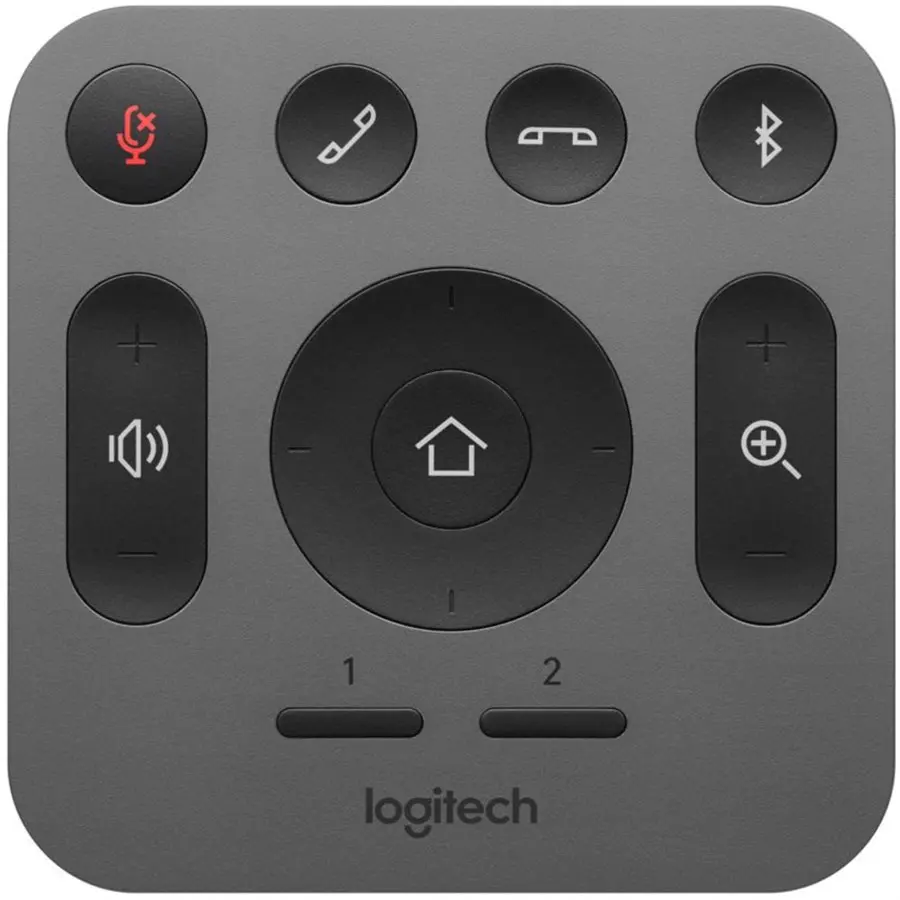
Logitech MeetUp Video Conference Camera for Huddle Rooms
The Logitech MeetUp is an all-in-one video conference camera made for small meeting rooms and huddle spaces. You get a wide view, clear 4K video options, and built-in audio in one compact unit, ideal for teams that want quick, professional calls without a messy setup. One simple trust hint: COD is available nationwide.
Key benefits (what it means for you)
Fits the whole room: a super-wide view helps everyone stay on camera, even in tight spaces.
Looks more professional: auto-framing can keep people centred as the meeting moves.
Sounds clearer: beamforming microphones focus on voices, helping reduce room noise.
Key specs, made simple
Max video resolution: 4K Ultra HD (3840 × 2160) at 30fps
Other video modes: 1080p and 720p options at 30fps
Field of view: 120° (ultra-wide)
Zoom + movement: 5x HD zoom, motorised pan/tilt
Audio: integrated 3-element beamforming mic array + built-in speaker
Mic pickup range: up to 4m (can extend to 5m with an optional expansion mic)
Connection: USB plug-and-play (USB 3.0 recommended for best 4K performance)
OS support: Windows, macOS, and ChromeOS (as listed by the brand)
Model code: 960-001101 (variant codes may differ by stock)
Why the wide 120° view matters
In small rooms, people often sit close to the camera. A normal webcam can crop out the sides of the table. MeetUp’s ultra-wide field of view is built for that. It helps you capture the full group without pushing chairs back or mounting the camera far away.
Smarter meetings with RightSight and RightSound
RightSight auto-framing can adjust the view so the group stays in frame. That means fewer “can you move the laptop?” moments.
RightSound audio tuning and a beamforming microphone array help pick up voices more clearly, which is especially useful in rooms with fans, air-conditioners, or light background chatter.
Setup and compatibility
MeetUp is designed to be simple: connect by USB and you’re ready for most video meeting platforms that support a USB camera. For best results, use a stable PC/laptop and a quality USB connection, especially if you plan to run 4K video.
What to check before you buy
1) Your room size and seating
MeetUp is best for small meeting rooms and huddle spaces. If your team sits far apart, you may need extra mic coverage (optional expansion mic) or a different camera style.
2) Mounting placement
Decide where it will live: table, wall, or near a display. Clean placement improves framing and reduces cable clutter. If you’re using a TV mount (VESA), check bracket compatibility first.
3) USB ports and cable runs
If the PC is far from the display, plan your cable routing. Also, if you want smoother 4K, a stronger USB connection matters (USB 3.0 is commonly recommended).
4) Video quality expectations
4K can look sharper, but it also depends on the meeting app, internet speed, and your PC. If calls are mostly standard HD, 1080p may be the practical sweet spot.
5) Audio coverage
For larger huddle spaces, confirm whether the built-in mic range meets your needs, or consider the optional expansion mic for extra reach.
Trust and buying info
Kraod. COD nationwide. Returns 7 days. Warranty: official warranty where available + store warranty support. Nationwide delivery usually 3–4 working days (same-day Lahore only). Prices may vary by stock/variants.
Ready to upgrade your meeting room? Add the Logitech MeetUp to cart and set up cleaner, more confident video calls.






Reviews
There are no reviews yet.