
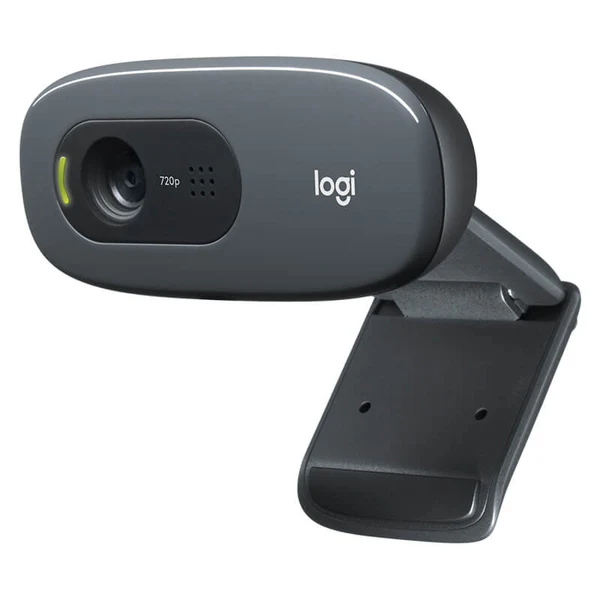


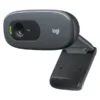
Logitech C270 HD Webcam 720p
The Logitech C270 HD Webcam is a solid pick when you want reliable video calling without spending big. It delivers widescreen 720p video at 30fps, plus automatic light correction to help you look clearer in typical room lighting. It’s ideal for students, professionals, and anyone who needs a simple “plug in and start” webcam.
Quick benefits you’ll notice
Cleaner calls for daily use: 720p HD is a clear upgrade from many built-in laptop cameras.
Looks better in tricky lighting: RightLight 2 helps balance the picture when the room isn’t perfect.
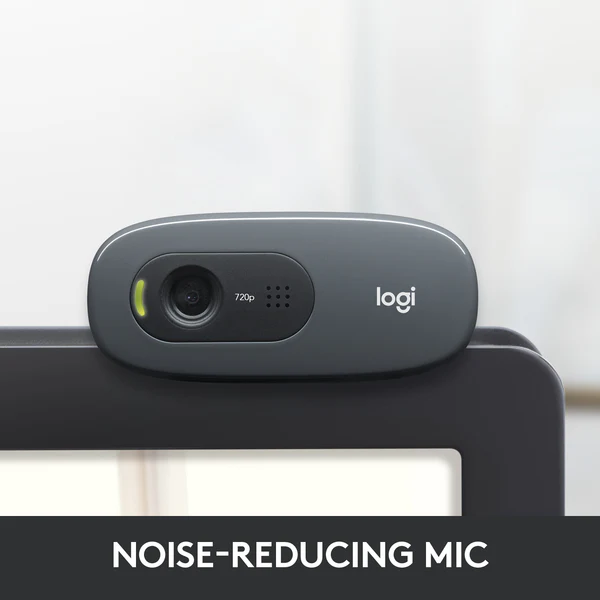
Voice comes through clearer: a built-in mono noise-reducing mic helps reduce background distractions.
Key specs, made simple
Video: 720p HD widescreen at 30fps
Light correction: RightLight 2 automatic light correction
Microphone: built-in mono noise-reducing microphone (up to 1.5m pickup range)
Field of view: about 55–60° diagonal
Connection: USB 2.0 (bus powered)
Cable: 5 ft (1.5m) USB cable
Mounting: universal clip for monitor or laptop
Built for study, work, and everyday video calls
If you take online classes, attend Zoom meetings, or do routine office calls, the C270 is made for that “switch it on and forget it” experience. It’s not trying to be a streaming camera. Instead, it focuses on the basics that matter most: stable HD video, simple mounting, and audio that works well from a normal sitting distance.
RightLight 2, explained in plain words
RightLight 2 is there to help when your lighting is uneven, like a bright window behind you or a dim room. It won’t replace a proper light, but it can improve how your face looks in everyday setups.
A practical field of view
With a roughly 55–60° view, the camera is framed for one person. That helps keep you centred and avoids showing too much of the room. It’s great for focused calls, interviews, and online learning.
Setup is straightforward
The C270 connects using USB and is designed to be plug-and-play. Clip it on top of a monitor or laptop, adjust the angle, and you’re ready for calls. The 1.5m cable is handy if your PC is a bit away from your screen.
Fit and compatibility
This webcam is commonly listed as compatible with Windows 7/8/10+, macOS 10.10+, Chrome OS, and Android 5+ on supported devices. It’s also commonly shown working with popular calling apps such as Skype, Zoom, FaceTime, and similar video chat platforms.
What to check before you buy
1) Your main use case
If you want a webcam mainly for meetings, classes, and family calls, 720p is usually enough. If you’re doing content creation or want greater detail, you may prefer a 1080p model.
2) Your lighting situation
RightLight 2 helps, but you’ll still look best with light in front of you. A simple desk lamp or facing a window can make a big difference.
3) Your microphone needs
The built-in mic is designed for close-range voice pickup (around 1.5m). For louder rooms or shared spaces, a headset mic can sound even cleaner.
4) Mounting style
The universal clip is made for monitors and laptops. If you plan to place it on a tripod or a desk stand, check your setup and viewing angle preferences first.
FAQ
Q: Is the Logitech C270 good for Zoom and online classes?
A: Yes, it’s a common choice for Zoom-style calls because it’s simple to set up and gives 720p HD video with automatic light correction for everyday rooms.
Q: Will it work on Mac and Windows?
A: It’s commonly listed as compatible with Windows and macOS, and also supports Chrome OS and Android on supported devices. A standard USB port is the key requirement.
Kraod. COD nationwide. Returns 7 days. Same-day Lahore only. Nationwide delivery usually takes 3–4 working days. Warranty: official warranty where available + store warranty support. Prices may vary by stock/variants.
If you want a dependable, budget-friendly webcam for daily calls, the Logitech C270 is a safe, no-fuss choice.





Reviews
There are no reviews yet.