
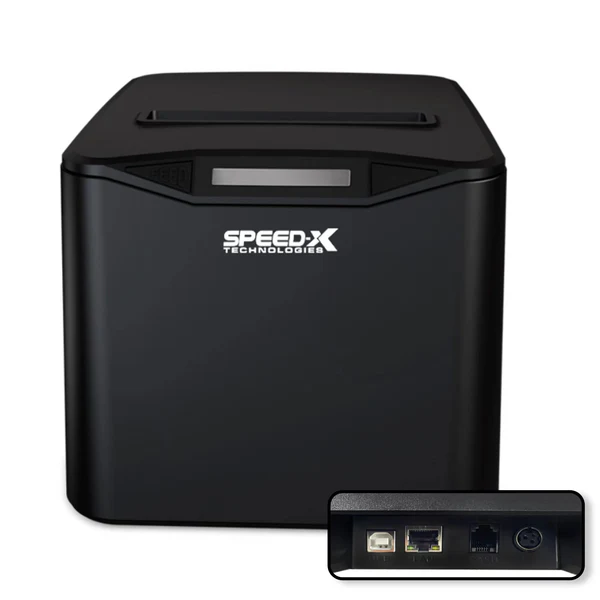
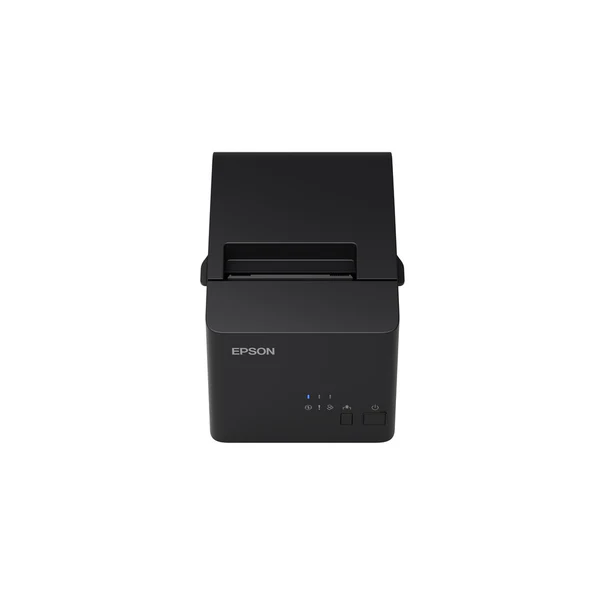
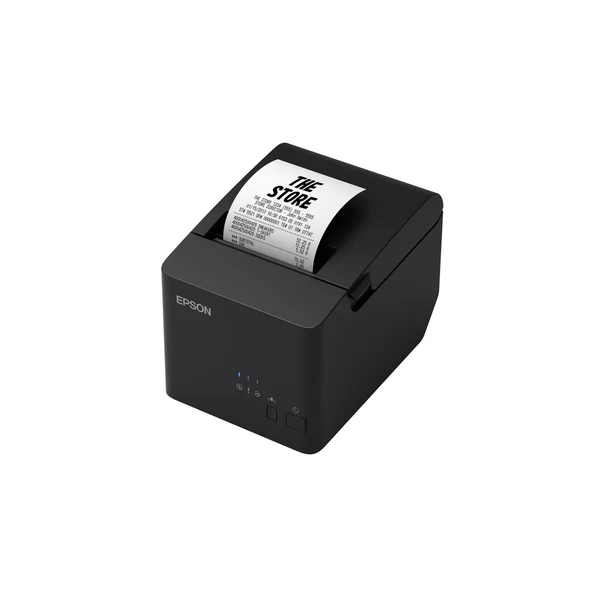
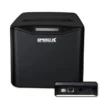
If your checkout is busy, your receipt printer needs to be quick, simple, and easy for staff to use. The Speed-X SP-210UL is an 80mm thermal receipt printer with USB + LAN connectivity and an auto cutter. It’s built for POS counters where you print receipts all day and want tidy, professional cuts without manual tearing. The extra LAN option is handy when your printer sits on a shared network or you want a more stable wired setup. COD available.
Why you’ll like it
Keeps lines moving with clean, automatic receipt cutting
80mm receipts give a clear layout for item lists and totals
Thermal printing avoids ink refills for everyday receipts
USB suits a simple, direct connection to one POS computer
LAN helps when you want the printer on a wired network
Neat cuts reduce mess and speed up customer handover
Works well for busy shifts where staff need a no-fuss workflow
Key details
The key buying points are your receipt roll size (80mm), how you’ll connect it (USB or LAN), and whether you want an auto cutter for faster handover. Confirm these, and setup is usually much smoother.
Key features
| Spec | Value |
|---|---|
| Brand | Speed-X |
| Model | SP-210UL |
| Product type | Thermal receipt printer |
| Paper width | 80mm |
| Printing method | Thermal |
| Connectivity | USB |
| Connectivity | LAN |
| Cutter | Auto cutter |
| Primary use | POS receipt printing |
What these details mean in plain English:
80mm paper width: This is the number one “fit” check. Make sure your current rolls are 80mm so you don’t need to change paper stock.
Thermal printing: Uses thermal paper, so you don’t manage ink or toner for standard receipts.
Auto cutter: Cuts receipts for you. It saves time and keeps receipts looking tidy during rush hours.
USB connection: Best for a single counter setup where one POS PC connects directly to the printer.
LAN connection: Useful if your printer is placed away from the POS PC, or if your setup uses a wired network.
Choosing USB vs LAN: Pick the method that matches your workflow. USB is simple. LAN is helpful for fixed network setups.
Counter efficiency: Clean cutting and consistent printing can reduce customer wait time without changing your billing process.
Daily use mindset: Keep spare thermal rolls nearby so fast printing doesn’t get slowed down by roll changes.
POS setup matters: Your POS app needs to support receipt printing. Confirm printer settings inside your software before ordering.
Return reduction tip: Don’t assume “all receipt printers work with all POS apps.” Check software support first.
Fit & compatibility
To avoid a mismatch, confirm both your paper size and your connection plan before you buy. This is an 80mm thermal receipt printer designed for POS receipts, with USB + LAN options and an auto cutter.
Use this checklist:
Paper width (critical): Confirm you use 80mm rolls. Measure the roll width, not the diameter.
Thermal paper: Make sure your rolls are thermal receipt paper for proper printing.
USB setup: Confirm your POS device has a free USB port and can print to a USB receipt printer.
LAN setup: If you plan to use LAN, confirm you have a wired network point near the printer and your POS can print to a network printer.
Software support: Check your POS app’s receipt printer settings and whether it needs drivers or a specific setup method.
Placement check: Ensure there’s space to open the cover for roll changes and that cables won’t be pulled at the counter.
Compatibility note: This is a thermal receipt printer for 80mm rolls. It is not an A4 office printer and it is not a label printer.
Use cases
Who it’s for:
Retail counters print receipts for every sale
Cafés and takeaway counters during peak hours
Pharmacies need clear receipts for customer records
Businesses that want a USB printer now and LAN flexibility later
Counters upgrading from manual tear-off receipt printers
Shops that want cleaner, faster handover with auto cutting
Who should skip:
Anyone needing A4 document printing
Buyers who use smaller receipt rolls (confirm 80mm first)
Setups that require Wi-Fi printing (this model lists USB + LAN)
Businesses that need barcode label printing instead of receipts
Buying from Kraod
COD nationwide; Returns: 7 days; Same-day delivery: Lahore only; Nationwide delivery: usually 3–4 working days; “official warranty where available + store warranty support”; Prices may vary by stock/variants.
Ready to order?
If you use 80mm thermal rolls and want USB plus a wired LAN option with auto cutting, the SP-210UL is a strong fit for daily billing.
FAQs
Does it use ink or toner?
No. It’s a thermal receipt printer and prints on thermal receipt paper, so you don’t need ink or toner for standard receipts.
Can I connect it by USB?
Yes, it supports USB. Confirm your POS device and software can print to a USB receipt printer.
What is LAN used for on a receipt printer?
LAN lets you connect the printer to a wired network. It can be useful for fixed counters or when the printer is shared on a network.
What paper size does it use?
It’s designed for 80mm thermal receipt rolls. Measure your current roll width before ordering to avoid a mismatch.
What does the auto-cutter do?
It cuts the receipt automatically after printing. This saves time and keeps receipts neat during busy hours.



Reviews
There are no reviews yet.