
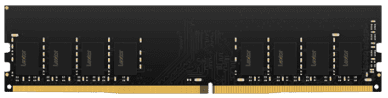
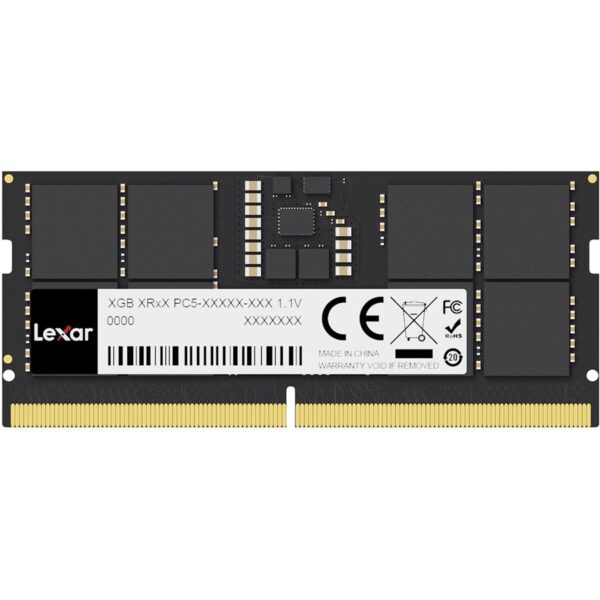
The Lexar 32GB DDR4-3200 UDIMM desktop memory is a solid upgrade when your PC feels slow under load. It’s made for people who keep lots of apps open, game while running voice chat, or work with bigger files. If your desktop supports DDR4 UDIMM, this single 32GB stick can help your system feel smoother and more responsive in everyday use.
Why this upgrade makes sense
More room for multitasking: fewer slowdowns when you’re jumping between apps, tabs, and tools.
Better for heavier work: useful for data-heavy tasks, editing, and big projects that eat memory.
Cleaner gaming experience: helps when games, launchers, and background apps are all running together.
Key specs, made simple
Capacity: 32GB (1 x 32GB)
Type: DDR4 UDIMM (desktop)
Speed: 3200MHz (DDR4-3200)
Bandwidth label: PC4-25600
Pins: 288-pin
Timings (listed): CL22
Voltage (listed): 1.2V
Module type: unbuffered, non-ECC
Standard: JEDEC compliant
Who it’s for
Students and everyday users
If your PC slows down with browsers, online classes, and multiple apps, extra RAM can make it feel calmer and quicker.
Gamers
Games today love memory, but so do Windows, launchers, Discord, and browsers. More RAM means fewer background stutters and less “closing stuff first” before you play.
Professionals and creators
If you work with large Excel sheets, lots of Chrome tabs, design tools, or editing timelines, 32GB can be a big comfort upgrade.
Fit and compatibility (read this before buying)
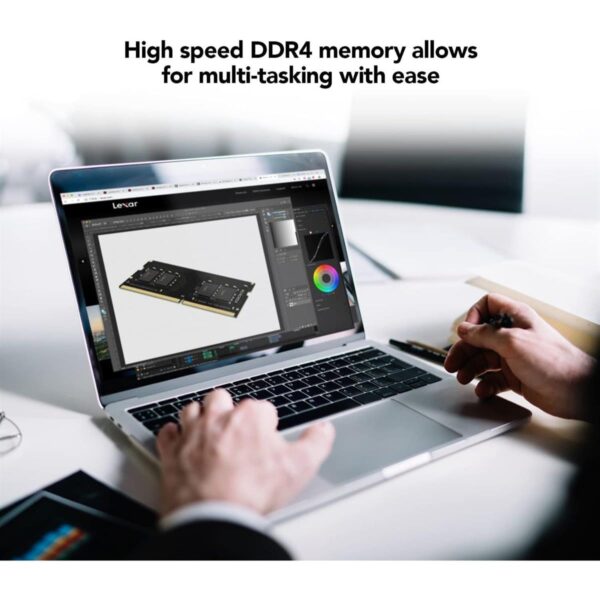
This is desktop DDR4 UDIMM (288-pin) memory. It’s made for desktop motherboards that take DDR4. It is not laptop RAM (laptops usually use SO-DIMM), and it will not work in DDR5-only systems.
If your motherboard supports DDR4 but at a lower speed, the RAM can run at the speed your system allows. That’s normal. For best results, match what your motherboard and CPU officially support.
What to check before you buy
1) DDR4 vs DDR5
Look at your motherboard specs. If it’s DDR5, DDR4 will not fit.
2) UDIMM vs SO-DIMM
Desktops use UDIMM. Laptops use SO-DIMM. They are different sizes and not interchangeable.
3) How many slots are free
If you’re adding RAM, check how many RAM slots your motherboard has and what’s already installed. This helps you plan the best setup.
4) Single stick vs dual channel
One 32GB stick is simple and gives you a big capacity jump. If your workflow benefits from dual channel, you may prefer a matched pair (depending on your motherboard and budget).
5) Your real need
If you mainly browse and do office work, you’ll feel smoother multitasking.
If you edit, stream, or game heavily, you’ll appreciate the extra headroom even more.
Shopping-focused FAQ
Will this work in a laptop?
No. This is a 288-pin desktop UDIMM module, not a laptop SO-DIMM.
Will it always run at 3200MHz?
It will run at the speed your motherboard/CPU supports and is set to. Some systems may default to lower unless configured.
Trust & delivery: Kraod. COD nationwide. Returns 7 days. Same-day Lahore only. Nationwide delivery usually takes 3–4 working days. Warranty: “official warranty where available + store warranty support”. Prices may vary by stock/variants.
If you want a simple, high-impact desktop upgrade, add this Lexar 32GB DDR4-3200 UDIMM to your cart and get back to smooth performance.






Reviews
There are no reviews yet.