
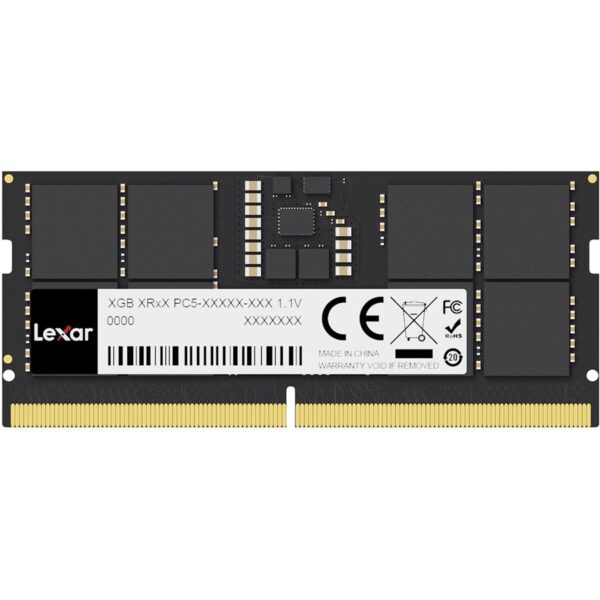
![[A3] Lexar 8GB DDR4 3200MHz SO-DIMM laptop RAM in sealed blister packaging with model LD4AS008G-B3200GSST printed on label.](https://kraod.com/wp-content/uploads/2025/06/lexar-sodimm-8gb-3200-ld4as008g-b3200gsst.jpg)
![[A2] Lexar DDR4 3200MHz 8GB laptop memory retail box, highlighting SO-DIMM format for notebook RAM upgrades and compatibility.](https://kraod.com/wp-content/uploads/2025/06/lexar-8gb-ddr4-3200-sodimm-laptop.jpg)

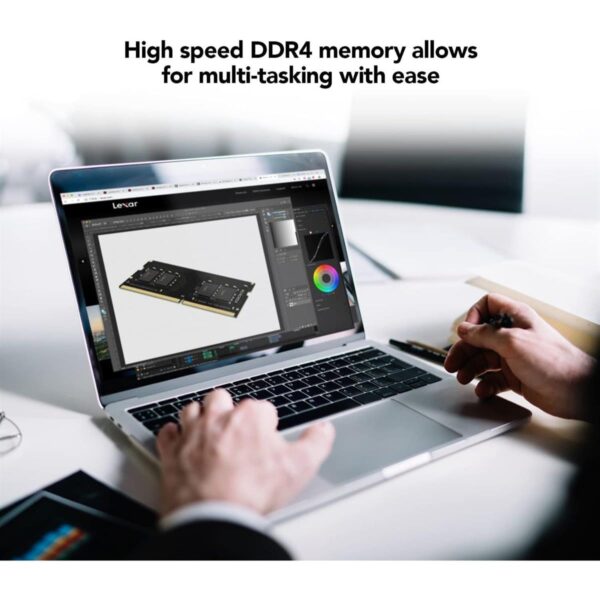
If your laptop slows down when you open too many tabs or apps, a RAM upgrade can make a big difference. The Lexar 8GB DDR4-3200 SO-DIMM Laptop Memory is a simple way to add breathing room for daily use. It’s a solid choice for students, professionals, and casual users who want smoother multitasking without changing the whole machine.
Benefits you’ll feel right away
Smoother multitasking: Less lag when switching between apps and browser tabs.
More comfortable everyday use: Helps with Office work, online classes, and light editing.
Easy upgrade path: Add one stick now, or pair it later for a bigger memory boost.
Key specs, made simple
Capacity: 8GB
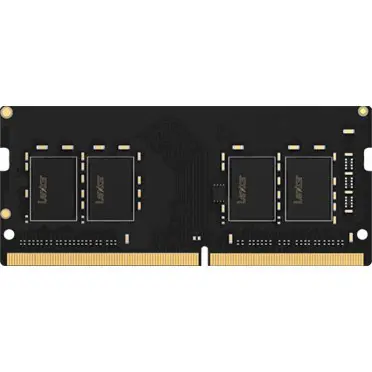
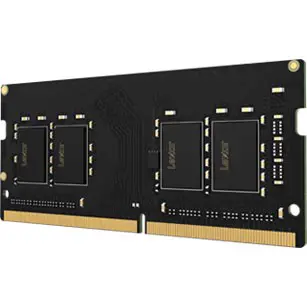
Type: DDR4 laptop memory (SO-DIMM)
Speed: DDR4-3200 (3200MHz)
Form factor: 260-pin SO-DIMM (laptop size)
Typical timings: CL22 (varies by batch/variant)
Voltage: 1.2V
Model commonly searched: LD4AS008G-B3200GSST
What to check before you buy
Laptop RAM is all about compatibility. These quick checks help you avoid ordering the wrong type.
1) Confirm it’s for laptops (SO-DIMM, 260-pin)
This is SO-DIMM (260-pin) laptop memory. Desktop RAM uses a different size and pin layout, so it won’t fit a desktop motherboard.
2) Make sure your laptop supports DDR4
DDR4 is not interchangeable with DDR3 or DDR5. Check your laptop specs or the RAM label inside the device.
3) Check your current speed support
Some laptops support 3200MHz, while others may run memory at a lower supported speed (for example, 2666MHz). In many cases, compatible RAM will still work, but it will run at the speed your laptop supports.
4) Look at your slot situation
One slot free: Easy add-on upgrade.
No free slot: You may need to replace an existing stick.
Also, check your laptop’s maximum supported RAM so you don’t buy more than it can use.
5) Consider pairing for dual-channel
If your laptop has two slots, using two similar sticks (like 8GB + 8GB) can improve overall responsiveness on many systems. It’s a common way to move from 8GB to 16GB without overthinking it.
Fit and compatibility
Designed for laptops that use DDR4 260-pin SO-DIMM memory. It’s suitable for many Intel and AMD laptops that support DDR4. For the safest match, confirm your laptop model’s RAM type, supported speed, and maximum capacity.
FAQ
Can I use DDR4-3200 if my laptop supports 2666MHz?
Often yes, but it will usually run at the laptop’s supported speed. Always check your laptop model specs to be sure.
Should I buy 8GB or 16GB?
8GB is a practical upgrade for everyday tasks. If you multitask heavily, use heavier apps, or keep lots of tabs open, 16GB (often 8GB + 8GB) can feel noticeably smoother.
Trust & delivery (Kraod)
COD nationwide. Returns 7 days. Same-day Lahore only. Nationwide delivery usually takes 3–4 working days. Warranty: official warranty where available + store warranty support. Prices may vary by stock/variants.
Add it to the cart for a simple laptop RAM upgrade that helps your system feel quicker in daily use.







![[A3] Lexar 8GB DDR4 3200MHz SO-DIMM laptop RAM in sealed blister packaging with model LD4AS008G-B3200GSST printed on label.](https://kraod.com/wp-content/uploads/2025/06/lexar-sodimm-8gb-3200-ld4as008g-b3200gsst-100x100.jpg)
Reviews
There are no reviews yet.