
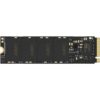
![Lexar NM620 256GB NVMe SSD [M.2 2280, PCIe Gen3x4] LNM620X256G-RNNNG - Image 2](https://kraod.com/wp-content/uploads/2025/06/copy-copy-9-czone.com_.pk-1540-13303-170622085842-70503-1918268-231123124643675.jpg)
Lexar NM620 256GB NVMe SSD for a fast, budget-friendly upgrade
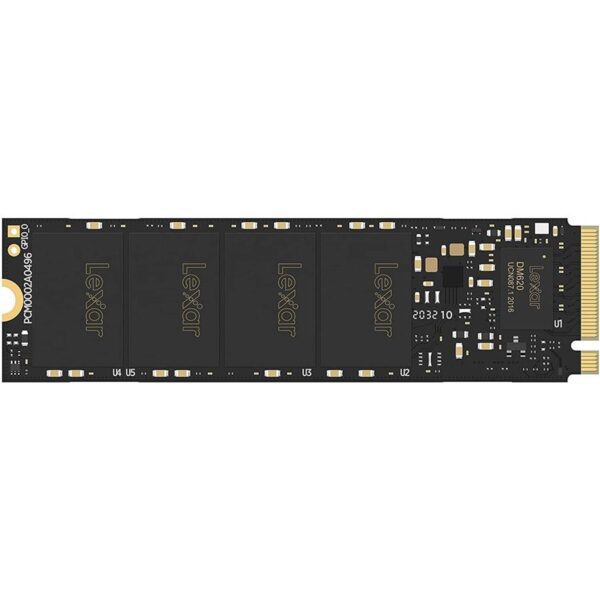
The Lexar NM620 256GB is an internal M.2 NVMe SSD made for people who want a quicker PC without spending too much. It’s a smart pick for students, office users, and anyone upgrading an older laptop or desktop that supports NVMe. If your system still uses a hard drive, this upgrade can make everyday use feel much smoother.
The benefits you’ll notice
Faster start-up, so Windows loads quicker
Snappier app launches for browsers, Office, and study tools
Better responsiveness when opening files and switching tasks
Key specs, made simple
Capacity: 256GB
Form factor: M.2 2280
Interface: PCIe Gen3x4
Use type: Internal NVMe SSD for compatible laptops and desktop PCs
Where 256GB makes the most sense
A dedicated Windows + apps drive
256GB is a good size for Windows, essential software, and daily apps. If you have lots of photos, games, or videos, it’s best to keep them on a second drive (HDD or a bigger SSD) and use this NVMe drive for speed.
Upgrading a student’s or office laptop
For online classes, assignments, Zoom, Office, and browsing, what you really need is a system that opens quickly and doesn’t freeze. A faster boot drive helps a lot here.
A tidy upgrade for older PCs
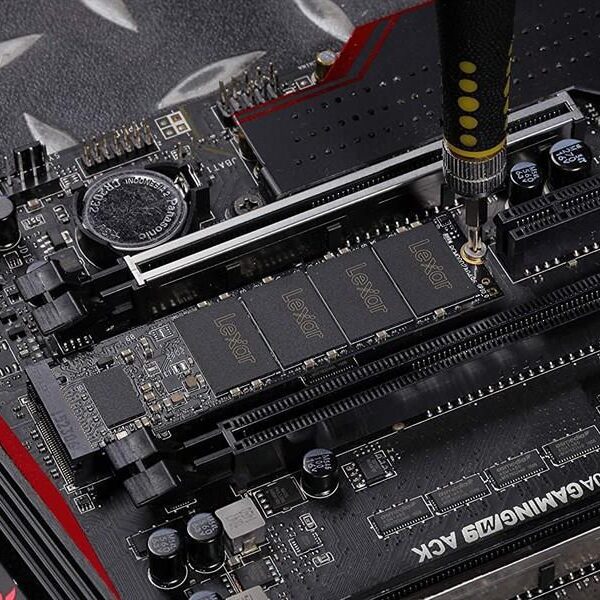
Many older desktops support M.2 NVMe slots. Installing an NVMe SSD as your main drive can give you a cleaner, faster setup without replacing the whole PC.
What to check before you buy
NVMe drives are easy to install, but compatibility matters. Use this quick checklist:
Does your device support NVMe (not just M.2)?
Some M.2 slots only support SATA drives. Check your laptop or motherboard manual for “NVMe / PCIe”.Is it the right size (M.2 2280)?
This SSD is M.2 2280 (80mm length). Most modern boards support 2280, but it’s worth confirming.PCIe generation support
This is a PCIe Gen3x4 drive. It usually works in many Gen4 slots too, but speed will run at Gen3 levels. The final performance depends on your platform.Storage planning
256GB is best for the operating system and key apps. If you plan to install many large games or editing software with big files, you may want a higher capacity.Upgrade method: clone or fresh install
If your old drive still works, cloning can save time. If your system is slow due to clutter, a fresh Windows install can feel better long term.
Fit and compatibility notes
This is an internal M.2 2280 NVMe SSD for compatible laptops and desktop PCs. Make sure your system supports NVMe storage before ordering.
FAQ
Is 256GB enough for Windows?
Yes for Windows and essential apps. If you store lots of media or install big games, you’ll fill it faster, so a bigger drive may suit you better.
Will it work in a Gen4 motherboard?
Many Gen4 M.2 slots support Gen3 SSDs. It should work in many cases, but will run at Gen3 speeds.
Delivery, returns, and warranty (Kraod)
Kraod. COD nationwide. Returns 7 days. Same-day Lahore only. Nationwide delivery usually takes 3–4 working days. Warranty: official warranty where available + store warranty support. Prices may vary by stock/variants.
If you want a simple, affordable way to make your PC feel faster, the Lexar NM620 256GB is a practical NVMe upgrade for the right M.2 slot.






Reviews
There are no reviews yet.