
What is it and who is it for?
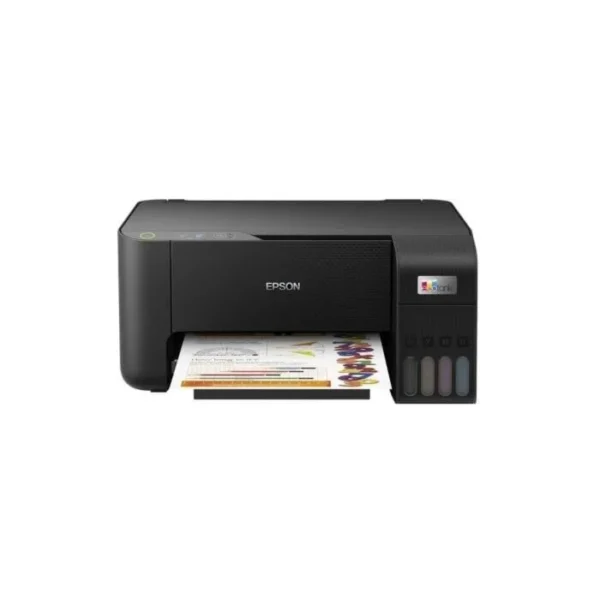
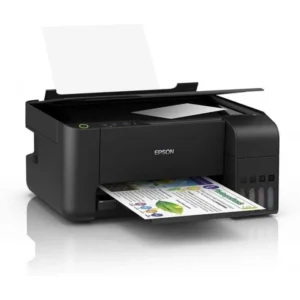
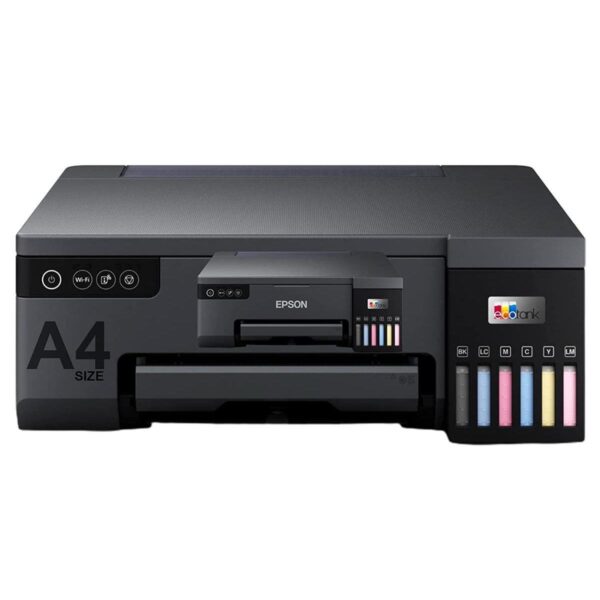
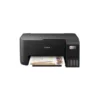
The Epson EcoTank L3210 is a 3-in-1 ink tank printer that handles print, scan, and copy on A4 paper. It’s built for people who print often and want fewer cartridge swaps. Think school notes, forms, invoices, and occasional photos. The integrated tank design helps keep the printer tidy on a desk. COD available.
Why you’ll like it
Cartridge-free ink tank setup, so refilling can feel simpler than changing cartridges
High page yield ink bottles can reduce how often you need to buy ink
Print, scan, and copy in one device to save space
A4 printing suits most everyday documents
Flatbed scanner is handy for IDs, signed pages, and book pages (one page at a time)
Borderless photo printing up to 4R for small photo prints and crafts
Compact footprint for home desks and small office corners
Key details
If you want an all-in-one ink tank printer for A4 documents, the L3210 keeps it straightforward: 3-in-1 functions, refillable tanks, and simple paper handling. Use the specs below to match it to your workload, space, and paper needs.
Key features
| Spec | Value |
|---|---|
| Brand / Series | Epson EcoTank |
| Functions | Print, scan, copy |
| Printing type | Ink tank / cartridge-free |
| Colour | Black |
| Print resolution | Up to 5760 x 1440 dpi |
| Scan type | Flatbed (CIS) |
| Scan resolution (optical) | 600 x 1200 dpi |
| Copy (standalone) | Up to 20 copies |
| Paper input | 100 sheets (plain paper) |
| Paper output | 30 sheets (plain paper) |
| Duplex printing | No |
| Wireless | No |
| Dimensions / Weight | 375 x 347 x 179 mm / 3.9 kg |
If you print a lot, the ink tank setup is the main reason to choose this model. It’s designed around refillable bottles instead of cartridges.
The stated page yields (black 4,500 pages and colour 7,500 pages composite yield) are useful for comparing running costs. Your real yield will vary with content and settings.
The 100-sheet input tray is practical for routine work. It reduces how often you need to reload paper during busy days.
A 30-sheet output capacity helps keep finished pages in place, but it’s still best to clear output regularly if you’re printing long runs.
The flatbed scanner works well for single sheets and delicate originals. For multi-page scanning, you’ll scan one page at a time.
The maximum print resolution figure is for detail and clarity. For most text documents, you’ll likely prioritise speed and readability over max resolution settings.
No duplex printing means double-sided pages are not automatic. If you need two-sided documents, you’ll flip and reinsert pages manually.
No wireless means you’ll plan around a USB connection setup. That’s often simpler for a single desk, but less flexible for shared rooms.
The compact integrated tank design can suit tight spaces, but always check the full width and depth (including cable space) before placing it.
If you plan to print photos, note that borderless photo printing is available up to 4R. For larger borderless sizes, confirm your exact requirement before buying.
Fit & compatibility
This is a good fit if you want a USB-only setup and you print mainly A4 and similar everyday sizes. Before ordering, check your desk space and your computer connection options, because there is no wireless.
Supported paper types and sizes include:
Legal (8.5 x 14″)
Indian-Legal (215 x 345 mm)
8.5 x 13″
Letter
A4
16K (195 x 270 mm)
B5, A5, B6, A6
Hagaki (100 x 148 mm)
5 x 7″, 5 x 8″, 4 x 6″
Envelopes: #10, DL, C6
Compatibility note: This is an ink tank all-in-one printer with print/scan/copy. It is not a wireless printer, and it does not support duplex printing.
Quick measuring tip: The listed dimensions are 375 x 347 x 179 mm. Leave extra space behind for cables and enough room at the front for loading and removing paper.
Use cases
Who it’s for:
Students printing notes, assignments, and project pages
Home users printing forms, bills, and schoolwork
Small offices printing invoices, receipts, and basic documents
People who want scan and copy in the same machine
Users who prefer refillable ink bottles over cartridges
Anyone printing mixed black and colour pages regularly
Who should skip:
Shared households or teams that need wireless printing
Buyers who require automatic duplex printing
Anyone needing larger borderless photo formats than 4R
High-volume environments where you need bigger trays and faster handling
Buying from Kraod
COD nationwide; Returns: 7 days; Same-day delivery: Lahore only; Nationwide delivery: usually 3–4 working days; official warranty where available + store warranty support; Prices may vary by stock/variants.
Ready to order?
If the USB-only setup works for you, this is a solid 3-in-1 ink tank choice for everyday A4 printing.
FAQs
Which ink bottle is used for Epson L3210?
It uses Epson 003 ink bottles. Match the bottle series and colour to your printer before purchasing refills.
Does the Epson L3210 have Wi-Fi?
No. Wireless is not supported, so plan for a direct USB connection setup.
Can it print borderless photos?
Yes, borderless photo printing is supported up to 4R. For other sizes, confirm your exact paper requirement first.




Reviews
There are no reviews yet.