
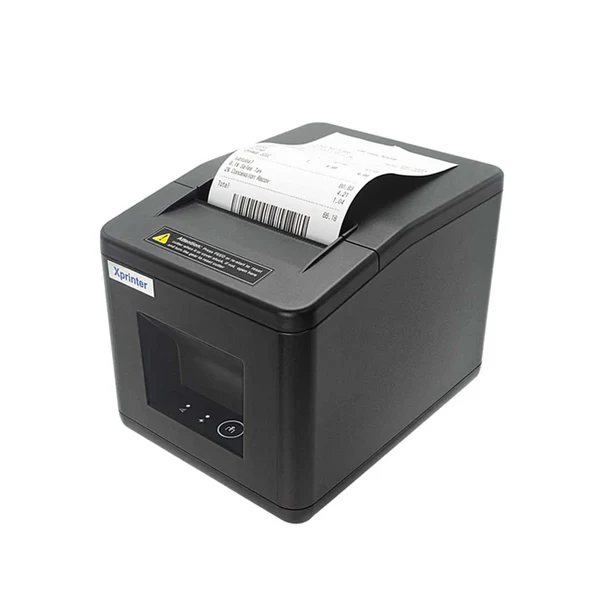
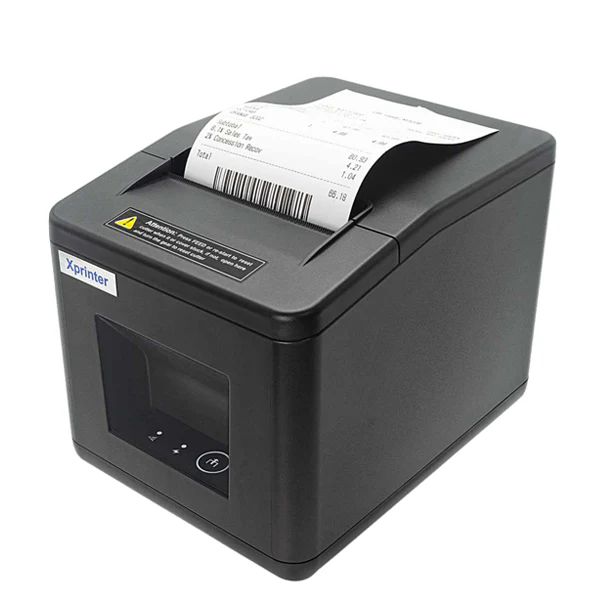
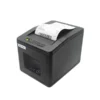
A receipt printer is one of those tools you only notice when it fails. The XPrinter XP-Q805K is a USB interface receipt printer made for day-to-day billing at a shop counter. It’s a practical fit for small businesses that want clear receipts and a straightforward setup with a wired connection. If you run retail, food service, or a service desk, it helps keep checkout smooth and organised. COD available.
Why you’ll like it
Keeps checkout moving with quick, on-demand receipt printing
USB interface gives a direct, stable connection to your POS setup
Helps you deliver consistent receipts for returns and record keeping
Reduces manual writing by printing totals and order details clearly
Works well in small counters where you want a no-fuss printer
Useful as a main printer or a backup unit for busy hours
Easier staff handover: same printing process every shift
Key details
Your buying decision should focus on POS compatibility, USB connection needs, and the paper setup your business already uses. Confirm these points first to avoid installation issues and wrong orders.
Key features
| Spec | Value |
|---|---|
| Brand | XPrinter |
| Model | XP-Q805K |
| Product type | Receipt printer |
| Interface | USB |
| Use type | POS receipt printing |
| Setup style | Wired connection |
| Typical placement | Counter/checkout area |
| Primary output | Receipts for billing |
What these details mean in real use:
USB interface: Best when you want a direct connection to one POS computer or terminal. It can be simpler than network setups, especially for a single counter.
Model accuracy matters: Some POS systems list printers by model name. Matching “XP-Q805K” helps reduce selection errors during setup.
Receipt printer role: It’s built for receipts, not office printing. Use it for billing slips, simple order receipts, and counter documents.
Wired setup: A cable connection reduces dropouts, pairing issues, and “why isn’t it printing” moments during rush hours.
Counter placement: Plan where the printer will sit so paper access is easy, and cables don’t get pulled by accident.
POS software dependency: Even a good printer won’t print if your POS app isn’t set up for it. Confirm the app can print to a USB receipt printer before purchase.
Daily workflow: This type of printer suits fast transactions where you print, tear, and hand over without extra steps.
Staff simplicity: Wired receipt printing is easier for new staff because there’s less to troubleshoot compared to wireless connections.
Returns prevention tip: Most wrong orders happen due to the paper size and software support, not the printer itself. Confirm both.
Backup planning: If you already have a receipt printer, check whether you want a like-for-like USB replacement to avoid rewiring.
Fit & compatibility
To avoid a mismatch, confirm your POS device and software support USB receipt printing before ordering. Also, check the receipt roll size you use today, so you don’t end up with paper that won’t load.
Use this quick checklist:
Your POS device: Is it a Windows PC, POS terminal, or another system?
USB port available: Confirm you have a free USB port where the printer will be placed.
POS software support: Check your POS app settings for supported receipt printers or USB printer output.
Driver support: If your system requires drivers, confirm your operating system can support this printer model.
Paper roll fit: Check your current receipt roll width and how your current printer loads paper.
Compatibility note: This is a USB receipt printer for POS receipt printing. It is not an A4 office printer, and it is not a barcode label printer.
Use cases
Who it’s for:
Retail counters print receipts for every sale
Cafés and takeaway counters need quick billing slips
Pharmacies that want consistent receipts for customer records
Small service desks that need printed proof of payment
Shops upgrading from an older USB receipt printer
Businesses that want a wired printer to reduce setup issues
Who should skip:
Anyone who needs A4 page printing for invoices or reports
Buyers who haven’t checked their POS software compatibility
Setups that require Wi-Fi or network printing (this is a USB interface)
Users who need label printing for barcodes or shipping
Buying from Kraod
COD nationwide; Returns: 7 days; Same-day delivery: Lahore only; Nationwide delivery: usually 3–4 working days; “official warranty where available + store warranty support”; Prices may vary by stock/variants.
Ready to order?
If your POS supports USB receipt printing and your paper size matches your setup, the XP-Q805K is a practical choice for everyday billing.
FAQs
Will this work with my POS software?
It depends on your POS app. Check if it supports USB receipt printers and allows you to select a printer model during setup.
Can I use this with a laptop or desktop PC?
Yes, it uses USB, but compatibility depends on your operating system and software. Confirm driver and POS support before ordering.
Is this a Wi-Fi or network printer?
No. This model is a USB interface receipt printer. If you need network printing, you should choose a printer designed for that.
Is it suitable for A4 invoices?
No. It’s designed for receipt printing at POS counters, not for full-page A4 documents.
What should I check before buying?
Confirm your device has USB, your POS software supports a USB receipt printer, and your receipt roll size matches your current setup.





Reviews
There are no reviews yet.