


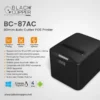
If you run a busy counter, your printer should feel effortless. The Black Copper BC-87AC is an 80mm thermal receipt printer with an auto cutter, made for everyday POS receipts and smooth customer handover. It suits small shops, cafés, pharmacies, and service desks where you print all day and need tidy receipts without slowing the queue. COD available.
Why you’ll like it
Keeps checkout flowing by printing receipts quickly and consistently
Auto cutter saves time and reduces messy tear lines
80mm width gives you a clear, easy-to-read receipt layout
Thermal printing means no ink refills for standard receipts
Helps staff hand over clean receipts during rush hours
Simple receipt workflow: print, cut, hand over, done
Practical choice for counters where reliability matters most
Key details
This printer is best chosen by matching three things: your receipt paper width (80mm), your need for an auto cutter, and how your POS system handles receipt printing. Confirm those early and you avoid most wrong orders.
Key features
| Spec | Value |
|---|---|
| Brand | Black Copper |
| Model | BC-87AC |
| Product type | Thermal receipt printer |
| Receipt width | 80mm |
| Printing method | Thermal |
| Paper type | Thermal receipt rolls |
| Cutter | Auto cutter |
| Typical use | POS receipt printing |
What these details mean for day-to-day use:
80mm receipt width: This is the most important “fit” detail. If your current rolls are 80mm, switching is usually straightforward.
Thermal printing: Thermal receipts print using heat on thermal paper. You don’t manage ink or toner for normal receipts.
Auto cutter: The printer cuts the receipt for you. This is helpful when you print back-to-back orders and want neat handover.
Cleaner counter workflow: Cutting saves time compared to manual tearing, especially when staff are rushing.
Paper planning: Keep spare 80mm thermal rolls near the counter so roll changes don’t slow you down.
Receipt-only focus: This is designed for receipts. It’s not intended for A4 documents or office printing tasks.
POS dependency: Your POS software and device still matter. Confirm your system can print to a receipt printer before you buy.
Reducing returns: Most problems come from wrong paper size or the POS setup, not the printer itself.
Fit & compatibility
To avoid mismatch, confirm your paper size and your POS printing setup before ordering. This model is for 80mm thermal receipt rolls and is intended for receipt printing at checkout counters.
Use this checklist before you buy:
Paper width check (critical): Confirm you use 80mm rolls. Measure the width of an existing roll, not the diameter.
Thermal paper check: Make sure your rolls are thermal. If you use standard paper, thermal printing won’t work as expected.
POS software check: In your POS app, look for receipt printer settings or a printer selection step.
Device check: Confirm what device prints receipts in your store (POS terminal, PC, or another system).
Receipt format check: If you print long item lists, ensure your receipt template is set up cleanly in the POS software.
Compatibility note: This is a thermal receipt printer for 80mm rolls with an auto cutter. It is not an A4 printer and it is not a label printer.
Use cases
Who it’s for:
Retail counters printing a receipt for every sale
Cafés and takeaway counters during peak hours
Pharmacies that need clear receipts for customer records
Service desks issuing payment receipts quickly
Shops upgrading from manual tear-off receipt printing
Businesses that want tidy receipts with less staff effort
Who should skip:
Anyone needing A4 printing for invoices, reports, or forms
Buyers who use only smaller receipt rolls (confirm your width)
Businesses that need barcode label printing instead of receipts
Anyone who hasn’t checked POS printing support yet
Buying from Kraod
COD nationwide; Returns: 7 days; Same-day delivery: Lahore only; Nationwide delivery: usually 3–4 working days; “official warranty where available + store warranty support”; Prices may vary by stock/variants.
Ready to order?
If you use 80mm thermal rolls and want faster, cleaner receipt handover with an auto cutter, the BC-87AC is a practical counter upgrade.
FAQs
What paper size does this printer use?
It’s made for 80mm thermal receipt rolls. Measure your current roll width before ordering to avoid buying the wrong paper size.
Does it need ink or toner?
No. It’s a thermal receipt printer. It prints on thermal paper and does not use ink or toner for standard receipts.
What does the auto cutter do?
It cuts the receipt automatically after printing. This saves time and keeps receipts neat, especially when you’re serving many customers.
Will it work with my POS system?
It depends on your POS software and device. Check your POS settings for receipt printer support and confirm how your system connects to a receipt printer.
Is this suitable for A4 invoice printing?
No. It’s designed for receipt printing at checkout counters, not for A4 documents or office-style printing.




Reviews
There are no reviews yet.